> ## Documentation Index
> Fetch the complete documentation index at: https://docs.pubrio.com/llms.txt
> Use this file to discover all available pages before exploring further.
# Feedback & Support
> How to provide feedback and contact Pubrio support for assistance.
## How to Provide Feedback
At Pubrio, your feedback is invaluable in helping us improve our products and services. Whether you want to report an issue, suggest a feature, or need support, this page guides you on how to get in touch with us effectively.
We welcome your ideas and suggestions! To submit feedback:
* Log in to your Pubrio account.
* Click the **Help** or **?** icon in the top-right corner.
* Select **Feedback**.
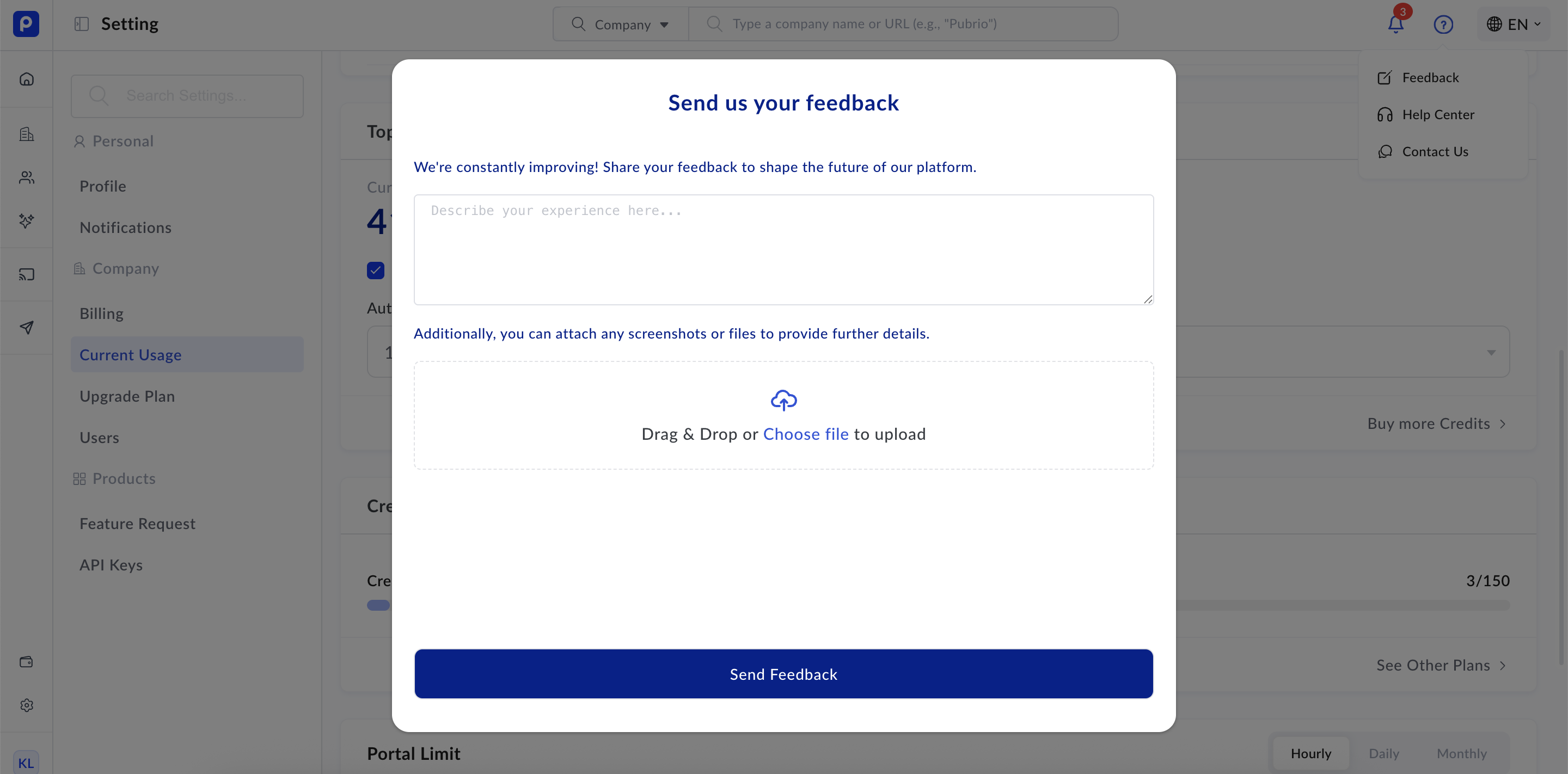 * Fill out the feedback form with:
* A clear description of your suggestion or issue.
* Any relevant screenshots or examples.
* Your contact information (optional).
Your feedback is reviewed by our product team and helps shape future updates.
## Additional Contact Options
* Email:
* Fill out the feedback form with:
* A clear description of your suggestion or issue.
* Any relevant screenshots or examples.
* Your contact information (optional).
Your feedback is reviewed by our product team and helps shape future updates.
## Additional Contact Options
* Email: [support@pubrio.com](mailto:support@pubrio.com) for support inquiries.
* For general inquiries or account management, email [info@pubrio.com](mailto:info@pubrio.com).