

New to the concepts (stages, signals, momentum, freshness)? Start with What Are Expansion Signals? — this guide assumes you know them and focuses on endpoint selection.
Pick by task
The endpoints at a glance
Expansion Search
The discovery endpoint. Filter companies by expansion stage, freshness, market, and the full company firmographic suite — or pass a natural-language
query. Paginated company list.Expansion Overview
Market-level aggregates: per-stage counts, top cross-border flows, watched-company activity. No pagination — a dashboard snapshot.
Company Expansion Detail
One company in one market: current stage, score, presence, transition history, and the supporting signals. The per-market snapshot.
Company Signal Events
The enriched, paginated feed of a company’s signal events across signal types and a date window. The activity drill-down.
Compare Company Expansions
Several companies side by side in one call, with weekly signal series and optional peer seeding. Built for comparison grids.
Batch Company Expansion Summaries
Any mix of domain_search_id, domain, or LinkedIn URL, resolved and returned with the same data as Compare plus a computed summary block — no target company, no peer seeding.
Expansion Rankings
A lightweight, score-ranked list of company/market pairs — minimal fields, no pagination — for fast map and heatmap rendering.
Expansion Signal Search
Query the signal rows themselves — type, subtype, strength, polarity, dated event, source and evidence URL — across companies and markets. Paginated, filterable, no company roll-up.
”Detail” vs “Signal Events” — which one?
This is the most common point of confusion, because both involve signals. The difference is snapshot vs feed:”Compare” vs “Summaries” — which one?
Both return the same per-company expansion data side by side. The difference is identifiers and framing: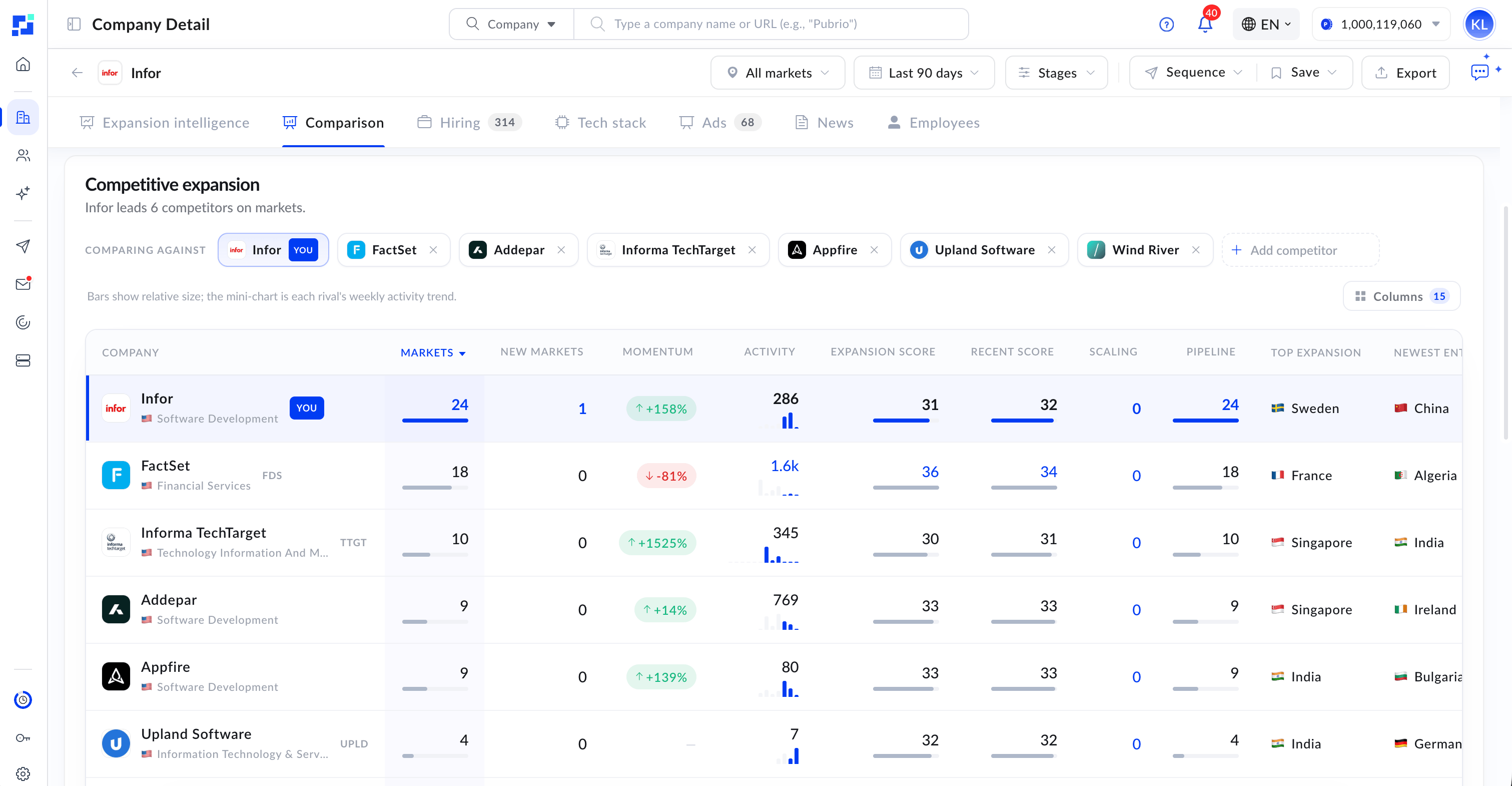
Compare Company Expansions, rendered as a grid — markets, momentum, expansion score, and top new entries, side by side.
A typical workflow
Discover
Call Expansion Search with your filters (or a natural-language
query) to get the companies expanding into your target market. Set is_explain_match: true for AI “why it matches” summaries.Drill into a company
Take a
domain_search_id from the results and call Company Expansion Detail for the full read in a market — stage, presence, history, and signals.See the activity feed (optional)
For the rich, windowed event stream, call Company Signal Events with the signal types and date range you care about.
Compare or map
Use Compare Company Expansions for a side-by-side grid seeded from a target company, Batch Company Expansion Summaries when you already have a company set and want ready-made metrics, or Expansion Rankings to plot ranked points on a map.
Shared filters
The discovery endpoints (Expansion Search, Expansion Overview, Expansion Rankings) accept the same filter vocabulary — expansion filters (stage, momentum, freshness, scope, signal types), the directed-geography pair (froms / tos), and the full company firmographic suite (industry, technologies, employee size, revenue, saved lists). Learn the filters once in the Filters Overview; the valid values live in Expansion Reference and the How Expansion Signals Work catalog.
Send company filters at the top level on these endpoints — the company_filters wrapper is not read here. Add filter_conditions to switch a multi-value filter from OR to AND. Expansion Search needs a scope: send at least one of tos, froms, companies or query.
Using the Expansion API
Auth, your first calls, pagination, and reading scores.
Worked Example
A full market-to-signal walkthrough.