

This walkthrough follows a single question — “Which companies are expanding into the United Kingdom right now, and why?” — from the market dashboard down to the individual signals behind one company’s move. Every request and response below uses the live Expansion API shapes.
The scenario
You sell to companies setting up operations in the United Kingdom. You want the freshest inbound movers, then you want to understand why one of them is expanding so you can time your outreach.Step 1 — Find fresh inbound movers into the UK
Settos: ["GB"] to find every company expanding into the UK, plus a freshness filter so you only see companies actively arriving.
expansion_score to put the most decisive movers first. Here, a China-based company (home_country_code: "CN") is at the Expanding stage (expanding) in GB with an advancing trajectory — a strong, fresh inbound move.
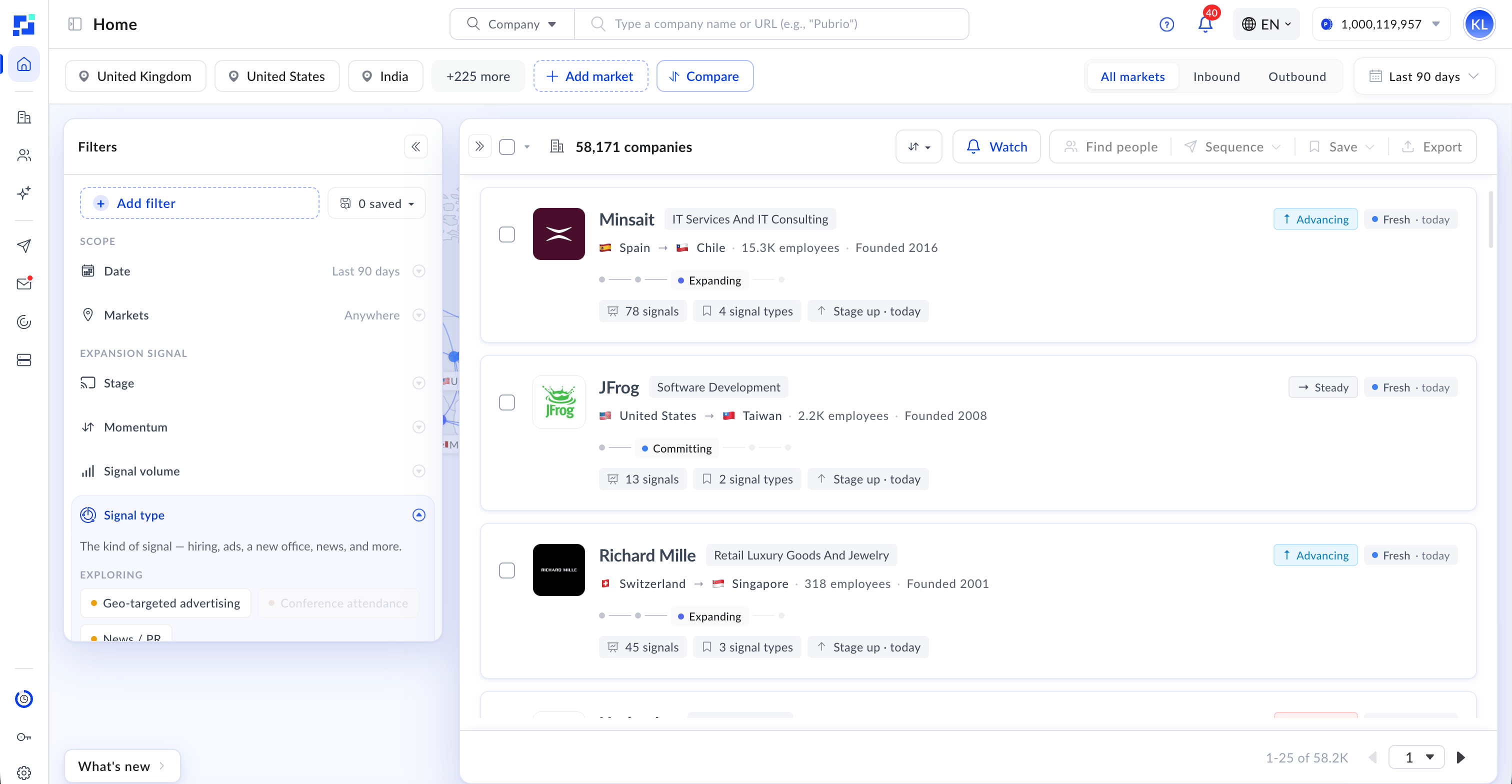
The same ranked list, in the product — stage, momentum, and freshness at a glance, for every company matching your filters.
Step 2 — See the company’s full market map
Take thedomain_search_id and list every market that company is expanding into.
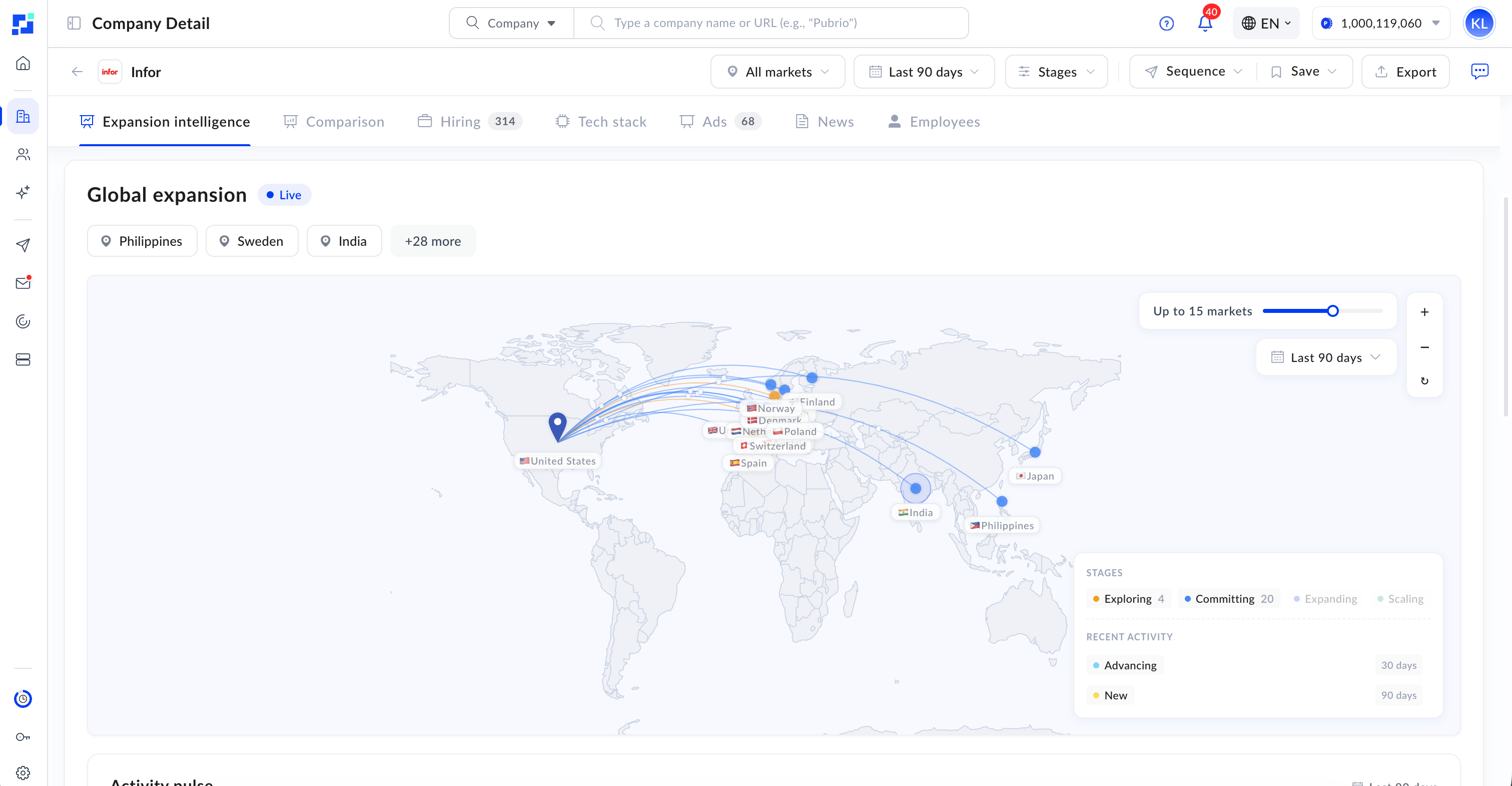
One company, every market it's moving into, plotted — the same two rows the JSON above described.
Step 3 — Understand the UK move in depth
Drill into the company-and-market detail to see the current stage, the underlying signals, known presence, and the transition timeline.Step 4 — Read the individual events
For the full, paginated list of events driving the move, call the signal-event endpoint with the signal types you care about.total_pages to drive a “load more” control by incrementing page until it reaches total_pages.
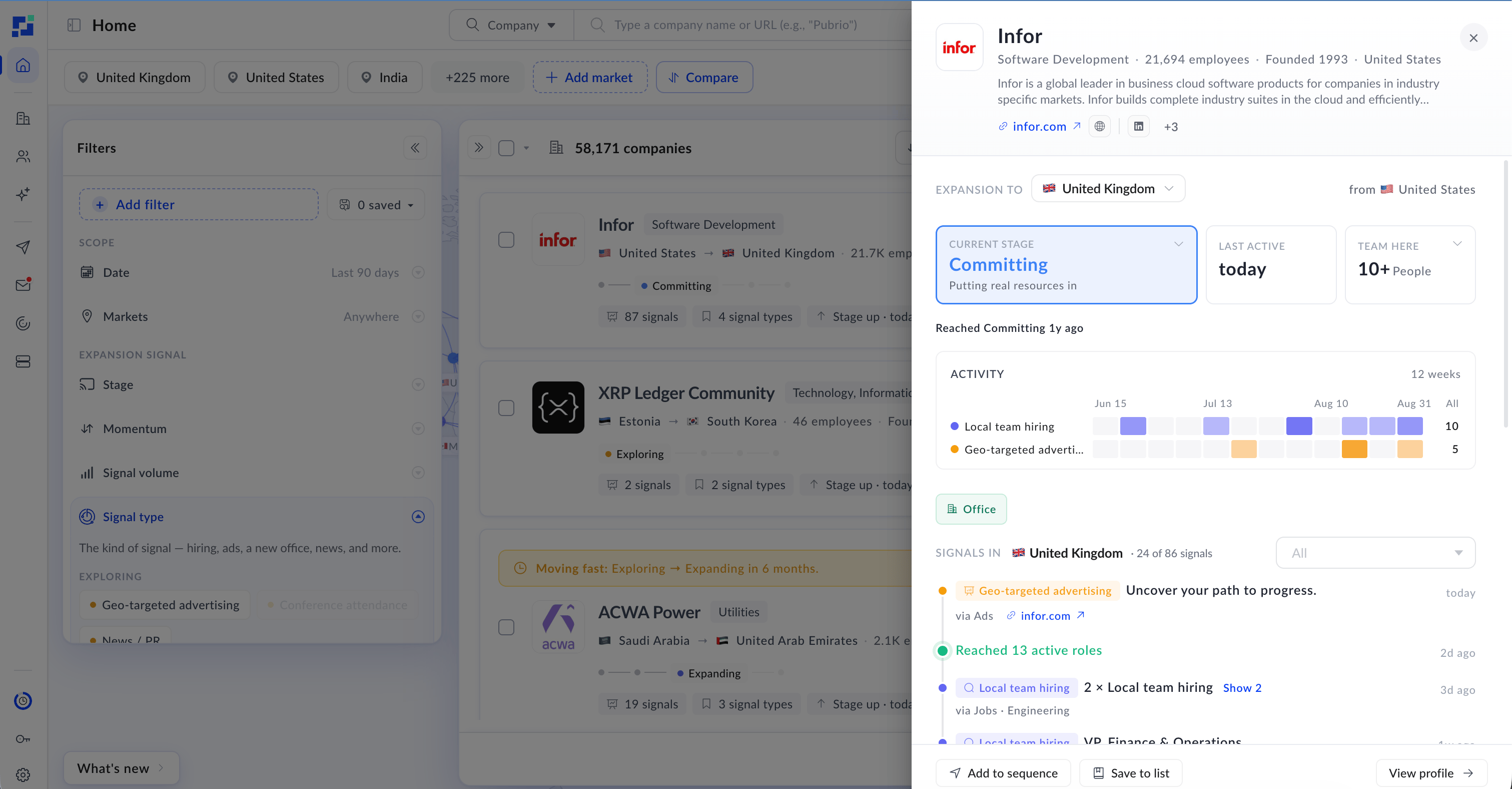
The events themselves, each with its evidence — a cloud footprint detected, an executive hire, a run of geo-targeted ads.
What you just did
You went from a market → a ranked list of movers → one company’s full footprint → the exact signals behind its UK expansion. That is the core loop of the Expansion API: start broad, narrow to a company, then read the evidence.Using the Expansion API
Authentication, pagination, and your first calls.
How Expansion Signals Work
The full catalog of values used above.